
Most of the time a client hands you a page that needs to be better. CopyZap was built for that. But sometimes there is nothing to improve: a new service, a launch email, a client who has never had a website. For those, CopyZap now has a second way in: Start from a brief.
You say what you need in one sentence, answer three or four questions with a tap, and get one finished draft. It is scored and checked the same way as improved copy, so you know what you are sending before the client sees it.
A real run, start to finish
The video shows a whole service page. Below, step by step, is a shorter run we did on November 5, 2026 for Tidewell Bookkeeping, the invented small firm from our demo. It took 38 seconds and 15 credits.
1. Say what you need
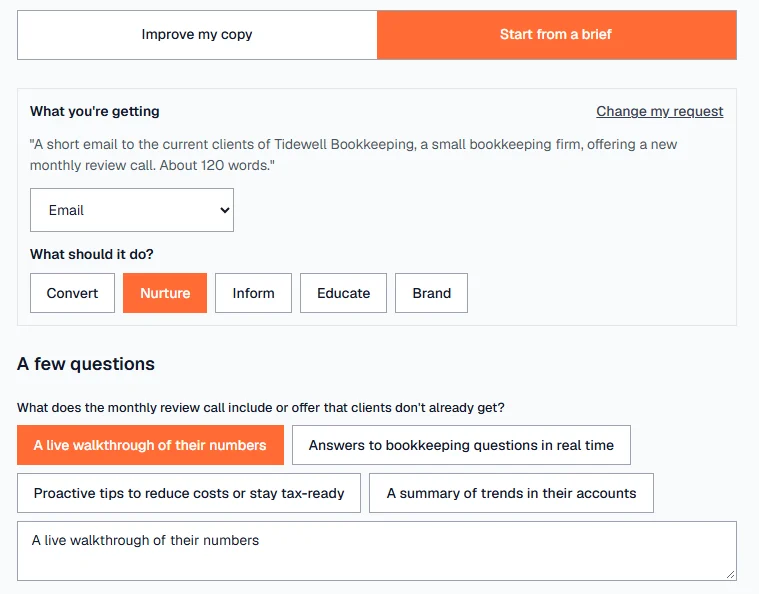
We typed: “A short email to the current clients of Tidewell Bookkeeping, a small bookkeeping firm, offering a new monthly review call. About 120 words.” CopyZap worked out the rest: an email, meant to nurture, in English.
2. Tap the answers
It asked four questions, each with suggested answers:
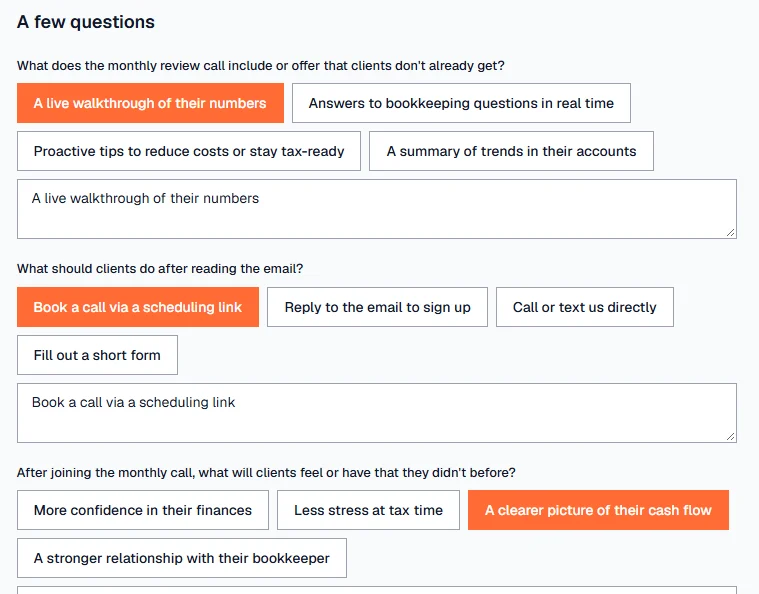
- What does the monthly review call include or offer that clients don't already get?
- What should clients do after reading the email?
- After joining the monthly call, what will clients feel or have that they didn't before?
- Is there anything that adds credibility to this new offer?
We picked “A live walkthrough of their numbers”, “Book a call via a scheduling link”, “A clearer picture of their cash flow” and “Already piloted with a few clients”. You can change any answer, or write your own.
3. Add what only you know
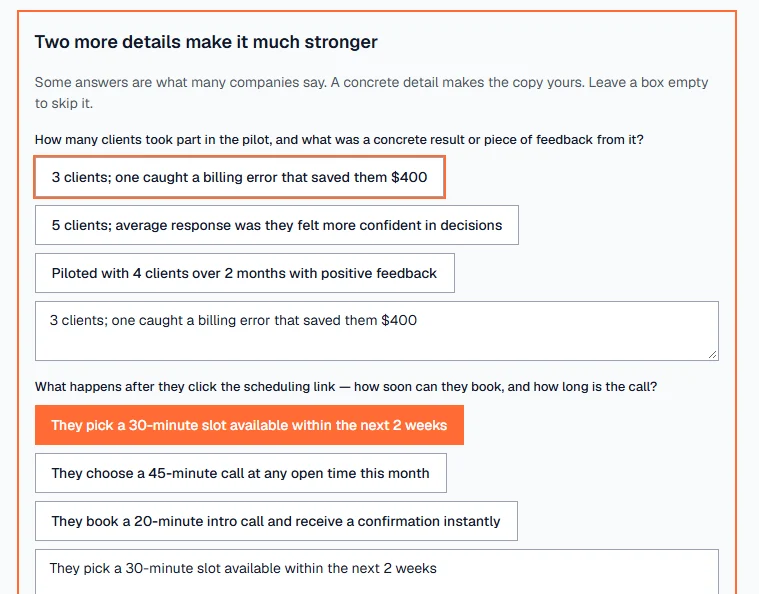
“Already piloted with a few clients” is something any firm could say. So CopyZap asked for two concrete details: what came out of the pilot, and how the call works. We answered “3 clients; one caught a billing error that saved them $400” and “They pick a 30-minute slot available within the next 2 weeks”. You can leave a box empty to skip it.
4. Get the draft, scored
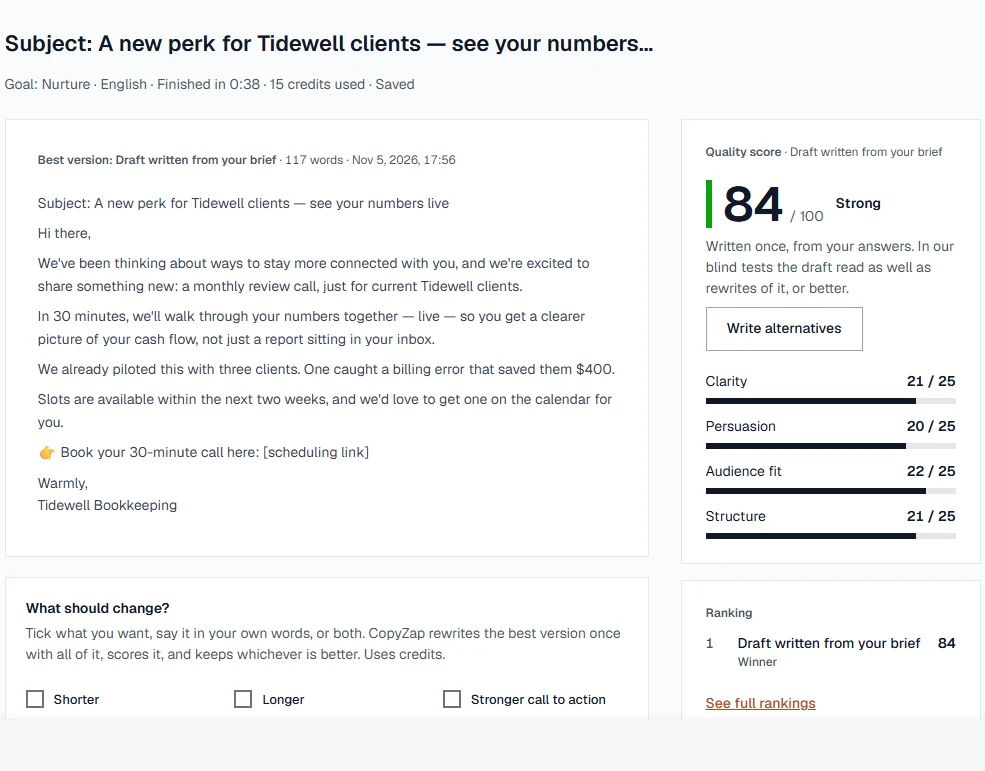
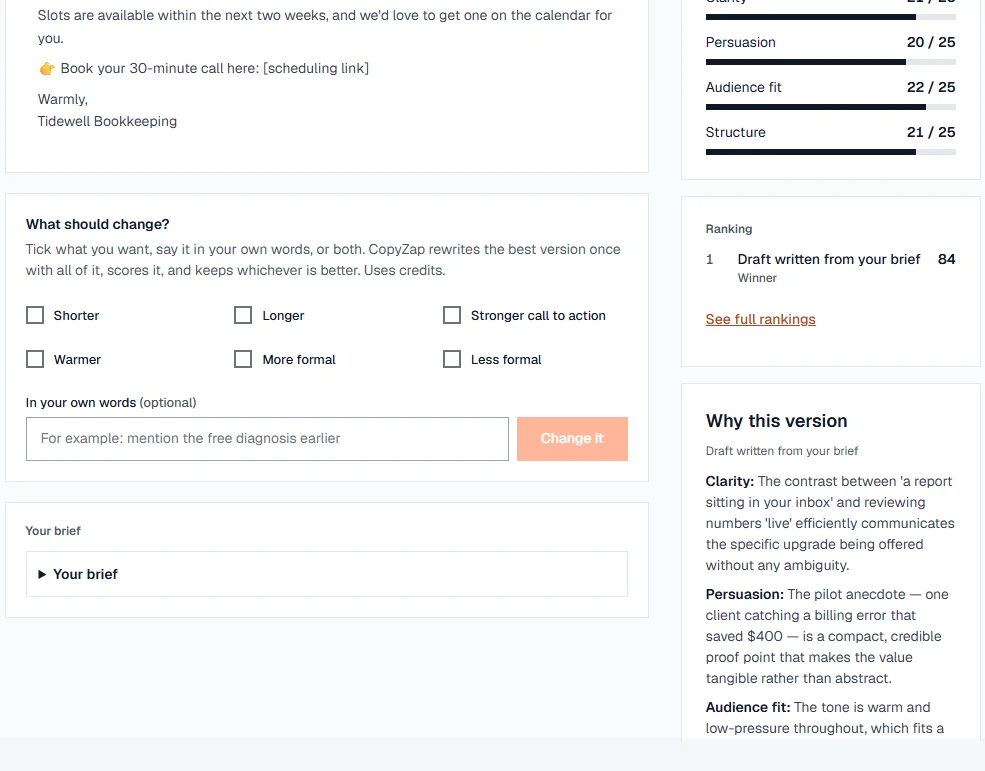
The email came back at 117 words for the 120 we asked, signed “Tidewell Bookkeeping”, and scored 84 out of 100: Strong. Here it is, unedited:
Subject: A new perk for Tidewell clients — see your numbers live
Hi there,
We've been thinking about ways to stay more connected with you, and we're excited to share something new: a monthly review call, just for current Tidewell clients.
In 30 minutes, we'll walk through your numbers together — live — so you get a clearer picture of your cash flow, not just a report sitting in your inbox.
We already piloted this with three clients. One caught a billing error that saved them $400.
Slots are available within the next two weeks, and we'd love to get one on the calendar for you.
👉 Book your 30-minute call here: [scheduling link]
Warmly,
Tidewell Bookkeeping
The $400 is in the email because we gave it. Without that detail, the line would have said only that the call had been piloted with a few clients, which says very little. The “[scheduling link]” is left for you to fill in: CopyZap doesn't invent a link.
5. The reasons, and one next step
Under Why this version, each part of the score comes with its reason. The bar at the bottom of the result always shows what to do next: check a claim, score again after a change, or copy it. Here nothing was left to check, so it said “All checked. Copy it, or export the report.”
What makes it different from asking a chat window
- It asks instead of guessing. A chat window writes from whatever you typed. CopyZap asks for the offer, the action and the proof, and asks again when an answer is too general.
- Your answers win. Add the client's website and CopyZap reads it to suggest answers. If the website says 15 years and you say 20, the copy says 20, never both.
- Invented facts are listed, not hidden. Anything the draft says that you didn't give it shows under “Check before you publish”. Keep it, remove it or reword it.
- Your language and form. English, Spanish, French, German, Italian or Portuguese, with the country's words and spelling. Formal or informal in every sentence, the sign-off too.
- The length you asked for. Ask for about 120 words and you get about 120 words.
- Sections you choose. For pages and blog posts, you see the suggested sections and their length, and can add, remove or reorder them before it writes.
How a draft is scored
A draft from a brief gets the same score as improved copy: clarity, persuasion, audience fit and structure, with the reasons. Two checks matter most here:
- Generic copy can't score high. A draft that could be about any company is capped, however smooth it reads.
- It is checked against your brief. The wrong form of address, a missing offer or call to action, or the wrong length costs points, and the result says which.
So the Tidewell email's 84 means it says something specific to Tidewell and does what we asked. See Reading the score for what each number means.
When to use Improve instead
If the client already has a page, start with Improve my copy. It keeps what is good about their text, keeps testimonials word for word, and tells you when the original is already better. Start from a brief is for when there is nothing to start from. Every step is in the help: Start from a brief.